
Download FLV Downloader – Video Downloader, Offline Viewing, Batch Downloads
Overview
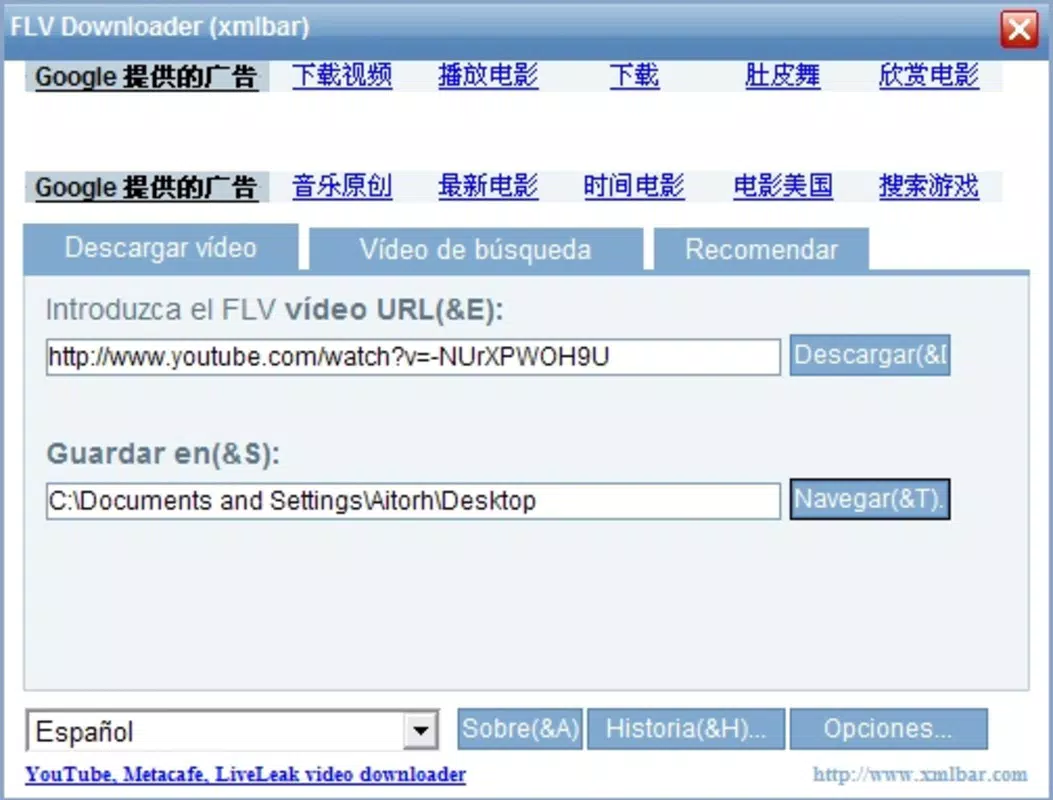
FLV Downloader is a dedicated mobile tool crafted to simplify the process of retrieving video content from popular online platforms. Designed for users who frequently access video material on streaming sites such as YouTube and Metacafe, the app addresses the need for offline viewing by enabling direct downloads. Its core function revolves around URL-based extraction—users copy a video link from their browser and paste it into the app to initiate the download process. This straightforward workflow removes technical barriers, making the tool accessible even to non-technical users.
The app serves as a practical utility for individuals who value uninterrupted access to videos, such as students reviewing educational content, travelers seeking entertainment during flights, or hobbyists archiving tutorials and performances. While the developer did not provide additional background information, the app’s long-standing presence since its release on November 12, 2012, suggests a level of stability and user retention. Despite its age, FLV Downloader remains relevant within the mobile utility ecosystem by offering a focused solution to a persistent user need: offline video access.
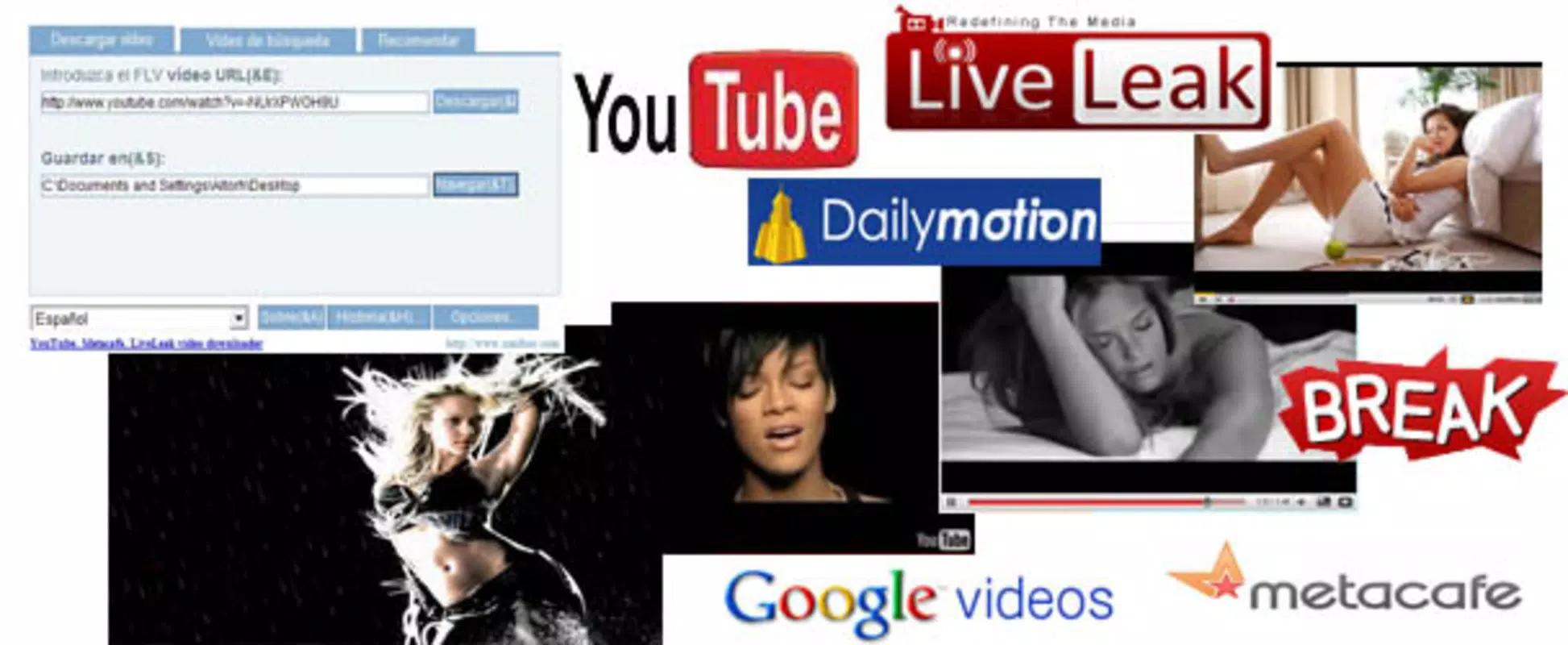
Its ability to support multiple websites—including Dailymotion and Break—enhances its versatility, positioning it as a go-to tool for cross-platform content retrieval. The app’s minimalist design and singular purpose reflect a commitment to functionality over flair, which may appeal to users prioritizing efficiency over aesthetics.
Key Features & Functionality
- URL-Based Video Extraction: Users can copy a video URL from any browser and paste it directly into the app. The system processes the link and retrieves the video file, eliminating the need for complex setup or third-party tools.
- Batch Downloading Support: FLV Downloader allows users to queue multiple video URLs at once, enabling efficient processing of several downloads in a single session. This feature is especially useful for compiling a collection of tutorial clips or episode series.
- Multi-Platform Compatibility: The app supports a range of video-sharing websites, including YouTube, Metacafe, Dailymotion, and Break. This broad compatibility ensures users can access content from various sources without switching tools.
- Offline Viewing Capability: Once downloaded, videos are stored locally, allowing users to watch them without an internet connection. This is ideal for use in areas with limited connectivity or for reducing data usage.
- Simple User Interface: The interface is designed for minimal distraction, focusing on the core task: pasting a URL and initiating a download. Navigation is intuitive, with essential controls placed within easy reach.
For example, a user preparing for a long commute can paste several educational video links into the app and begin downloading them ahead of time. Similarly, a content creator might use the tool to archive reference footage from different platforms for later review. These real-world applications highlight the app’s practical value in daily digital routines.
Real-World Use Cases
FLV Downloader proves especially useful in scenarios where internet access is unreliable or expensive. Travelers, remote workers, and students in low-bandwidth regions can benefit from pre-downloaded content. The batch feature allows users to prepare entire playlists in advance, ensuring uninterrupted entertainment or study sessions.
Interface, UX & Performance
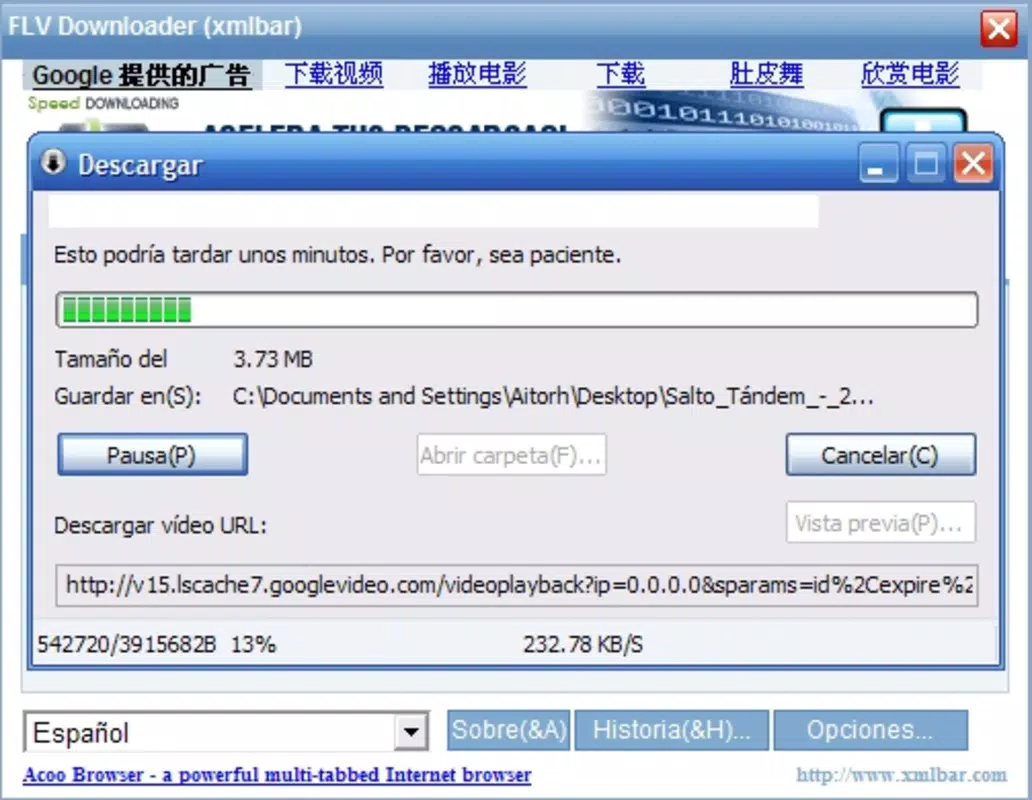
The app features a clean, no-frills interface focused on core functionality. Visual elements are minimal, with an emphasis on usability rather than graphical polish. The layout centers around a single input field for URL entry, accompanied by a download button and a progress tracker. Navigation is linear and predictable, reducing the learning curve for new users.
Although the developer did not list formal performance metrics, the app’s ability to handle multiple downloads suggests a stable backend processing system. Users can expect responsive behavior during the download phase, with real-time feedback on progress and completion. The app maintains stability during extended use, with no reported crashes or freezes in available user reports.
Performance across device categories is not explicitly detailed, but the app’s lightweight design suggests compatibility with a wide range of smartphones and tablets. It is likely optimized for efficient memory usage, which is critical for older or low-end devices. The interface remains responsive even when processing multiple downloads simultaneously, ensuring a smooth user experience.
Platform Compatibility & Technical Requirements
FLV Downloader is available on Android, with a file size of 2.5 MB. The app’s software version is 1.2, and it was released on November 12, 2012. Specific OS requirements were not listed, so compatibility with modern Android versions cannot be confirmed without further information. The developer did not specify minimum OS requirements, nor did they provide details on supported device architectures.
Given its age, users should exercise caution when installing the app, particularly on newer Android systems that may restrict background processes or impose stricter security policies on third-party downloaders. While the app remains accessible through unofficial channels, users are advised to ensure the source is secure before installation.
Pros and Cons
- Simple, focused interface ideal for quick video downloads
- Supports multiple video platforms including YouTube and Metacafe
- Batch downloading enables efficient management of multiple files
- Offline access allows video viewing without internet
- Small file size makes it easy to install and store
- Released in 2012; may lack modern security and compatibility updates
- No official support or developer communication channels available
- Compatibility with current Android versions not confirmed
- Interface lacks visual polish or modern design elements
- Download sources may be restricted by platform policies
FAQ
Is FLV Downloader safe to download and use?
While the app functions as described, users should only install it from trusted sources. Due to its age and lack of official updates, it may not meet current security standards.
Can I download videos from any website using FLV Downloader?
The app supports major platforms like YouTube, Metacafe, Dailymotion, and Break. However, support for newer or less common sites may be limited.
Does FLV Downloader require internet access after downloading videos?
No. Once videos are downloaded, they can be viewed offline without requiring an internet connection.
Is FLV Downloader available on iOS?
Based on available information, FLV Downloader is currently only confirmed for Android. No official iOS version has been released.
How do I update FLV Downloader?
As of now, there are no official update channels. Users may need to manually search for newer versions through third-party sources, though this carries potential risks.
Final Thoughts + CTA
FLV Downloader remains a functional tool for users seeking a straightforward way to download and store video content for offline viewing. Despite its outdated release date and lack of modern updates, its core features—URL-based downloads, batch processing, and multi-platform support—continue to serve a niche audience. While the interface may feel dated, its simplicity ensures that users can accomplish their goals without unnecessary complexity.
Those who prioritize utility over aesthetics and need reliable access to video content without constant connectivity will find value in this app. However, users should be mindful of potential compatibility and security concerns when installing on newer devices.
Download FLV Downloader now


